
Specific Process Knowledge/Characterization/XPS/Processing/Basics: Difference between revisions
| Line 52: | Line 52: | ||
<span style="font-size: 90%; text-align: right;">[[Specific_Process_Knowledge/Characterization/XPS/Processing/Basics#top|Go to top of this page]]</span> | <span style="font-size: 90%; text-align: right;">[[Specific_Process_Knowledge/Characterization/XPS/Processing/Basics#top|Go to top of this page]]</span> | ||
In the top are several | In the top are several buttons in the 'Analysis' toolbar. Click the leftmost one called Automatic Survey ID and a automated peak identification routine will commence. The result is shown below: | ||
[[File:XPS- | [[File:XPS-basics06.jpg|700px]] | ||
Several things are worth noting: | Several things are worth noting: | ||
* A peak table pops up above the spectrum. It contains information (which elements, fitted atomic percentages etc.) obtained in the automatic fitting routine. One can still scroll through the levels (if more levels in a depth profile are available) but the elements fitted will not change. | * A peak table pops up above the spectrum. It contains information (which elements, fitted atomic percentages etc.) obtained in the automatic fitting routine. One can still scroll through the levels (if more levels in a depth profile are available) but the elements fitted will not change. | ||
* Only a fraction of the peaks in the spectrum | * Only a fraction of the peaks in the spectrum | ||
Revision as of 14:23, 8 September 2015
XPS data processing guide
This section shows all actions performed with Avantage (version 5.498) during an analysis of a sample.
Open data and save the processing document
Locate the .VGX file in the experiment data tree. Either open the experiment by selecting 'Open Experiment' in Avantage, or double click on the .VGX file. You will see something like this:

It is a very good idea to save the processing document as you analyze the data (Avantage may crash some times) - to do so, select 'Save Processing Document' and you analysis will be saved as a .VGD file.
Spectrum views
To start analysing the data we will start by looking at the survey spectrum. Open a new processing document by clicking the button in the toolbar to the left as shown below:

This will spawn a tab with an empty processing grid.
Then drag the survey spectrum into one of the quadrants in the data grid as shown below:

Use the buttons as shown to the right below with the red square to
- Maximize spectrum views
- Minimize spectrum views
- Add or remove rows/columns

Views of data with several levels
As shown in the bottom of the image below, some experiments hold several levels - the reason is that the exeriment is a depth profile in which a repeated set of spectra of a sample are recorded as the surface is gradually removed by an ion bombardment. Scroll through the individual levels, either by using the 'Etch time' or 'Etch Level' scroll buttons and see how the spectra change. Level 0 is the first spectrum.

The view called 'Single Trace' displays only one level. Change the display mode to view the complete set of levels:
- Different views of spectra in experiments with several levels
-
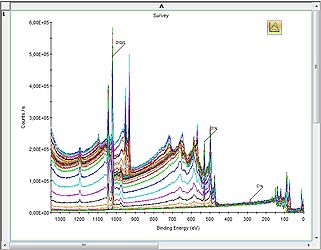 2D Chart view
 -
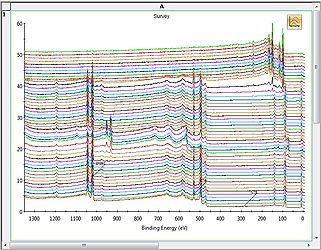 Stacked Chart view
 -
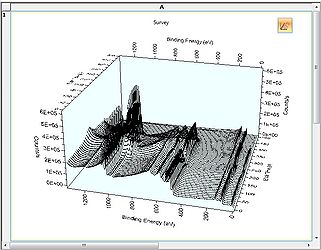 3D Chart view
 -
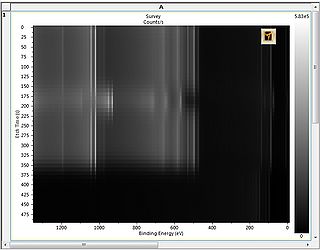 Image view


Automatic peak identification of survey spectra
In the top are several buttons in the 'Analysis' toolbar. Click the leftmost one called Automatic Survey ID and a automated peak identification routine will commence. The result is shown below:

Several things are worth noting:
- A peak table pops up above the spectrum. It contains information (which elements, fitted atomic percentages etc.) obtained in the automatic fitting routine. One can still scroll through the levels (if more levels in a depth profile are available) but the elements fitted will not change.
- Only a fraction of the peaks in the spectrum