
Specific Process Knowledge/Process Flow: Difference between revisions
mNo edit summary |
|||
| Line 29: | Line 29: | ||
You can download a process flow template below and fill it in with your own information. Of course, you are also welcome to make your own template. You are also welcome to take a look at our example for the fabrication of a simple solar cell. It shows you how to build up a process flow for a component that can be made at DTU Nanolab. Throughout the example, you can find links to relevant pages in LabAdviser where information about the different processes are given. Please note that there is also a possibility to create a process flow in Labmanger using the [http://labmanager.dtu.dk/function.php?module=Flow&view=editflow Flow editor].<br> | You can download a process flow template below and fill it in with your own information. Of course, you are also welcome to make your own template. You are also welcome to take a look at our example for the fabrication of a simple solar cell. It shows you how to build up a process flow for a component that can be made at DTU Nanolab. Throughout the example, you can find links to relevant pages in LabAdviser where information about the different processes are given. Please note that there is also a possibility to create a process flow in Labmanger using the [http://labmanager.dtu.dk/function.php?module=Flow&view=editflow Flow editor].<br> | ||
<br> | <br> | ||
'''Process flow template:''' [[Media:Process flow template v3.1.docx|Process_flow_template_v3.1.docx]] | '''Process flow template:''' [[index.php?title=Media:Process flow template v3.1.docx|Process_flow_template_v3.1.docx]] | ||
<br> | <br> | ||
<br> | <br> | ||
| Line 93: | Line 93: | ||
<br clear="all"> | <br clear="all"> | ||
<br> | <br> | ||
Examples for Information relevant to a Specific Process Step | |||
Please find below some examples that might help you to create a complete process step. | === Examples for Information relevant to a Specific Process Step === | ||
Please find below some examples that might help you to create a complete process step. If you need assistance, feel free to contact training@nanolab.dtu.dk. | |||
'''Create a Mask on your Sample (Photolithography Step)''' | |||
** Specify the design/mask-name, -layers, and polarity used for each photolithography step | ** Specify the design/mask-name, -layers, and polarity used for each photolithography step | ||
** Specify if required and type of alignment (frontside, backside), and if relevant note down alignment marks coordinates | ** Specify if required and type of alignment (frontside, backside), and if relevant note down alignment marks coordinates | ||
Revision as of 12:16, 27 May 2025
The content on this page, including all images and pictures, was created by DTU Nanolab staff, unless otherwise stated.
Feedback to this page: click here
The Process Flow
A Process Flow contains the sequence of steps and techniques used to create certain structures and devices at the microscopic and nanoscopic scales. This involves a combination of various fabrication methods and inspection techniques to achieve the desired features and functionalities.
Starting a process flow from scratch with little or no previous knowledge can be challenging. Please do not hesitate to reach out to colleagues, other cleanroom users or our Fabrication Support team at nanolabsupport@nanolab.dtu.dk for help with your process, discussions regarding problems or improvement.
If you are a new user to DTU Nanolab and you have issues on how to get started in our cleanroom, please have a look at following pages in labadviser: "Safety" and "Getting Started".
Below are some recommendations on how to set up a process flow and more information on the different parts of a process flow, including an overview of process steps. More detailed information can be found on the specific process pages.
General Overview of a Process Flow
- Credentials (title, author, affiliation name, version/batch number, page numbers)
- Pattern design and mask (name and layers)
- Processes & Equipment
- Inspection & Analysis Equipment
- Substrates
- Chemicals
- Special Materials
- Illustrations of Key Process Steps
Review of your Process Flow
Before implementing new processes, we strongly recommended you to get your process validated by our Fabrication Support team. This is done to ensure safety to all cleanroom users and to guard involved machinery and equipment during the processing, e.g. avoid cross-contamination issues, as well as to support your work in the cleanroom. Process flows or any questions regarding process flow review can be submitted to nanolabsupport@nanolab.dtu.dk.
You can download a process flow template below and fill it in with your own information. Of course, you are also welcome to make your own template. You are also welcome to take a look at our example for the fabrication of a simple solar cell. It shows you how to build up a process flow for a component that can be made at DTU Nanolab. Throughout the example, you can find links to relevant pages in LabAdviser where information about the different processes are given. Please note that there is also a possibility to create a process flow in Labmanger using the Flow editor.
Process flow template: Process_flow_template_v3.1.docx
Process flow example: Solar Cell Process flow
In the following section, you can find some guidelines and relevant information for creating your own process flow, such as relevant information about substrate, pattern design and mask fabrication, as well as process steps and characterization methods.
Substrate
Generally, there is a wide range of substrates available for cleanroom processing. This includes silicon, fused silica, III-V substrates, SOI wafers, but also rarer and more expensive materials such as silicon carbide, saphire, and diamond are possible. In some occasions, even different types of polymer can be processed at DTU Nanolab.
DTU Nanolab has a stock of standard silicon and glass wafers that can be purchased through LabManager (requires login). You can find more information on wafers available and how to purchase them through LabManager under Wafer Information. Other substrates have to be purchased personally, though you are very welcome to ask us for help if needed.
There are various sizes and shapes of substrates available. F.ex. standard silicon wafers are available as 2", 4", and 6" and our tools are mostly set up for these dimensions, though some tools can take chips or even 8" wafers. You can find more information on which sizes are able to be processed on the specific equipment page on labadviser or labmanager.
Bringing samples into the cleanroom
Please be aware that you must obtain permission from our Fabrication Support team to bring substrates from outside into our cleanroom. You need to fill out the form "Request to bring Samples into CR v1.51" and submit it to nanolabsupport@nanolab.dtu.dk. Please find more information under Bring samples into cleanroom.
Pattern Design and Mask Preparation
One of the first steps in a fabrication process often involves designing the pattern of the device and, if required, preparing a mask for f.ex. a photo or electron beam lithography step. There are several commercial and free CAD tools available, f.ex. Clewin, KLayout, or L-Edit.
You can find extensive information on how to create a design on following subpages
- UV Lithography (pattern design and order of physical mask)
- DUV Lithography (Reticle Design)
- Electron Beam Lithography (pattern preparation for Jeol exposure)
Fabrication Steps
There is a large variety of cleanroom methods that can be combined within the same Process Flow. Special attention has to be paid to Cross Contamination and compatibility of layers on your substrate with subsequent fabrication steps. For example, oxidation and LPCVD furnaces are often extremely clean and any contamination can damage the functionality of the thin film. Therefore, wafers processed in other machines, such as dry etching equipment, require special cleaning to avoid cross-contamination. Another example is temperature compatibility. The growth of oxide requires very high temperatures, which not all thin films can tolerate without undergoing a major change in f.ex. layer compostion.
Below you can find an overview over some standard fabrication steps with links to their process specific pages in Labadviser. Below the table, there are some examples to specific processes with a list of information that needs to be defined for each process. You can find more examples for fabrication steps and what to remember further below.
Drawings in this section done by Jesper Hanberg @DTU Nanolab
Clean your Sample 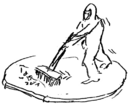
|
Dry your Sample 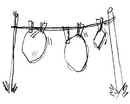
|
Deposit a Thin Film 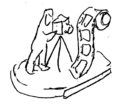
|
Dope your Sample 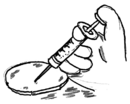
|
Thermal treatment of your Sample 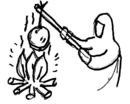
|
Create a Mask on your Sample 
|
Transfer a Pattern to your Sample 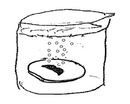
|
Create your Structures in Polymer 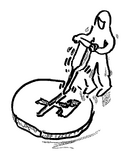
|
Bond your Samples together 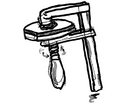
|
Characterize your Sample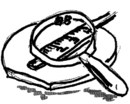
|
Cut & Pack your Sample (Backend) 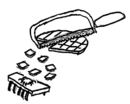
|
Process Flow Examples 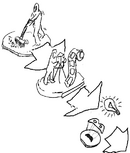
|
Examples for Information relevant to a Specific Process Step
Please find below some examples that might help you to create a complete process step. If you need assistance, feel free to contact training@nanolab.dtu.dk.
Create a Mask on your Sample (Photolithography Step)
- Specify the design/mask-name, -layers, and polarity used for each photolithography step
- Specify if required and type of alignment (frontside, backside), and if relevant note down alignment marks coordinates
- Specify resist and resist thickness (defines spin process)
- Specify developer
- Specify Spin Coating equipment and process (depending on resist type and thickness)
- Specify Aligner equipment and process including exposure conditions (f.ex. exposure dose)
- Specify Developer equipment and process (depending on resist type and thickness)
- Define tolerance or other inspection criteria
- Check cross-contamination with pre- and post process equipment
- f.ex. Metal Evaporation
- Specify metal thicknesses, and deposition rate
- Specify Evaporator equipment, process name
- Define tolerance or other inspection criteria
- Check cross-contamination with pre- and post process equipment
- f.ex. Dry etching
- Specify Etching Tool
- Specify process name, etch parameters, etch depth
- Define tolerance or other inspection criteria
- Check cross-contamination with pre- and post process equipment
Characterization
THIS PART IS STILL UNDER CONSTRUCTION
A crucial and often neglected part of each process flow is the characterization. After critical process steps you might need to analyze and measure the properties of produced structures, layers, materials or entire devices. Characterization techniques help you ensure that the fabricated components meet the required specifications and function correctly. There are many tools and methods available to inspect, analyze and measure the properties of features and materials such as physical, chemical, electrical, and mechanical properties.
Even if some of these methods are fast and cheap to perform, not all information might be relevant for the fabrication of your device taking up unnecessary resources. It is, therefore, vital to chose methods relevant for you process and product. Please do not hesitate to reach out to our Fabrication Support team at nanolabsupport@nanolab.dtu.dk.
Overview over some Processes available at DTU Nanolab
🔬Structural and Morphological Properties:
These methods reveal the shape, size, surface features, and internal structure of materials.
- Microscopy techniques: light microscopy, SEM; TEM, AFM
- X-ray Techniques: XRD
- Others: FIB, Ellipsometry, etc
⚛️Chemical Composition:
These techniques identify elemental composition and chemical states.
- Spectroscopy Techniques:
- EDS/EDX (Energy Dispersive X-ray Spectroscopy) – elemental analysis (often with SEM)
- XPS (X-ray Photoelectron Spectroscopy) – surface chemistry and oxidation states
- SIMS (Secondary Ion Mass Spectrometry) – depth profiling and trace elements - not available at DTU Nanolab
- Raman Spectroscopy – vibrational modes, material identification - not available at DTU Nanolab
⚡Electrical Characterization: four-point probe
Used to evaluate conductivity, resistivity, and carrier behavior.
🔥 Thermal Properties
These methods assess how materials respond to heat.
🧲 Magnetic Properties
Important for spintronics and magnetic storage applications.
🧱 Mechanical Properties
These techniques measure hardness, elasticity, and stress.
- Special modes in AFM: Nanoindentation, Force Modulation Mode, ect
- Stylus profilometer (bending, thin film stress)
🔬 Optical Properties
- ellipsometry?
- transmission ...
Special Requirements
How to deal with ...
- Buy special chemicals (approval by DTU Nanolabs safety representant required)
- Special materials, resists, developers, solvents, or etchants, please ... discuss with nanolab staff, fill out APV, buy yourself
- Standard chemicals are available in the cleanroom (find a list here)
- UV or DUV Masks: link
- cleanroom shelf space